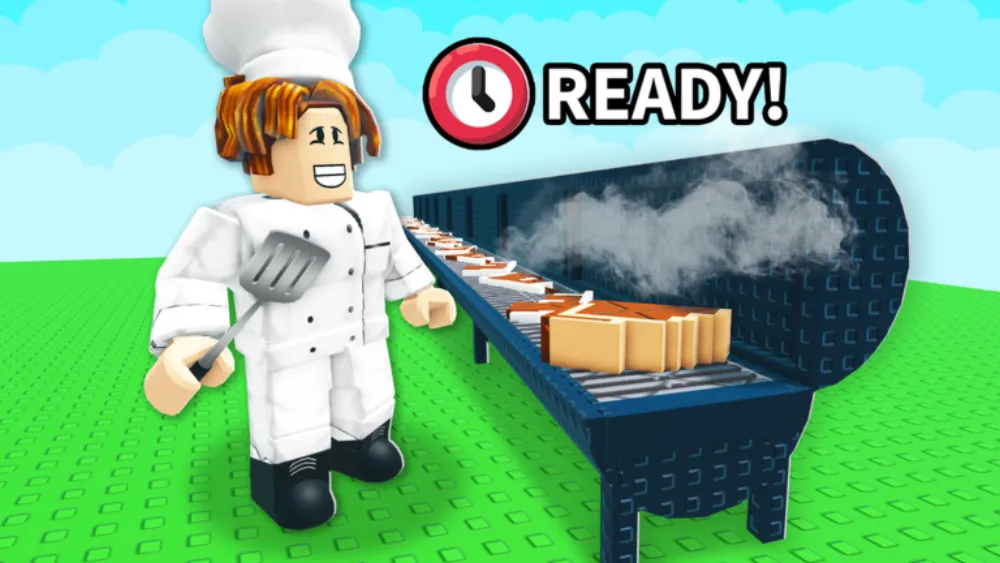
This BBQ It Roblox guide walks you through the grilling loop, the offline idle system, weight progression, badges, and easy tips for new players. It is a cooking tycoon made by Stackwork Studios: BBQ.
BBQ It Roblox came out on 25 April 2026. You place a grill, cook cuts of meat to the right temperature, then take the best offer and pocket the cash. In its first two months it holds more than 14,000 concurrent players and has earned over 61,000 likes, one of the best starts any cooking tycoon has had on Roblox.
The game was last updated in early June 2026. The NEW MEATS drop landed on 4 June, and the COSMETICS update came on 7 June.
Like other food-themed tycoons? Check out My Squishy Dumplings for a dumpling-racing game, and Grow a Garden for a crop-selling game in the same idle family. For a niche tycoon that still runs an active code program, the Crab Tycoon codes page tracks every working cash code for Atlantean Co.'s crab tycoon.
What Is BBQ It Roblox?
BBQ It Roblox is a Simulation / Tycoon game where meat is the money-maker. The loop is simple: set up your grilling gear, cook meat to the right heat, sell it for the best price, then put the profit back into more gear.
Quick stats (as of 23 June 2026):
- Likes: 61,387
- Concurrent players: 14,000+
- Created: 25 April 2026
- Developer: Stackwork Studios: BBQ (Roblox Group)
- Server size: 6 players
- Genre: Simulation / Tycoon
- Platforms: PC, mobile (iOS/Android), console
The 6-player server cap keeps things small. Only five other people share your market on each server. There is no weight ceiling on your items, so the weight of what you cook is the main thing you push. Heavier grilled food can sell for more.
BBQ It Roblox Core Loop: Grill, Sell, Reinvest
The heart of BBQ It Roblox is a tight three-step cycle, laid out right in the game description:
Step 1: Place your grill and table. Grills are your production units. Every piece of cooked food starts here. How many grills you run, and how well you run them, sets how much you make.
Step 2: Grill meat to the perfect temperature. This part takes attention. Meat has to hit the right heat to sell for the most. Undercook or burn a cut and buyers pay less. Nailing the temperature over and over is the real skill.
Step 3: Take the best offer and profit. When a cut is ready, buyers make offers. Pick the highest one to earn the most per cut. That money goes back into more grills, tables, and upgrades, which grows how much you can produce.
The cycle never stops. An idle system keeps your grills running even after you log off, so production does not pause when you close the game.
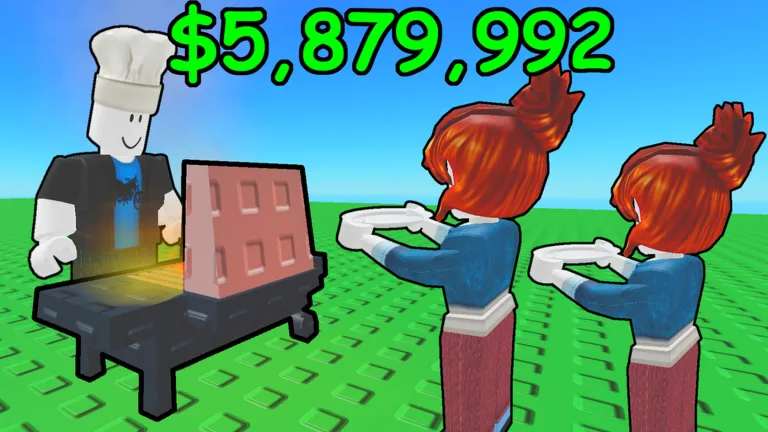
BBQ It Roblox Offline Idle Mechanic
The best-known feature of BBQ It Roblox is that your grills stay on while you are offline. That is classic idle-tycoon design: you do not have to be playing for things to keep cooking. Set up your grills, start the cooks, and collect what piled up when you come back.
For a grilling game this fits well. Real slow BBQ is all about time. Brisket and ribs can take 12 hours or more, and the offline system copies that slow, steady build. Whether you grind all day or just check in once, the food keeps stacking up.
Buying grills early pays off, since each one keeps cooking while you are gone.
Weight Progression in BBQ It Roblox
The one rule that shapes BBQ It Roblox: there is no limit to how heavy your items can weigh. That is the north star.
Many tycoons cap you with a currency wall or a building-slot limit. This one turns unlimited weight into a personal challenge instead. The heaviest cut you can make becomes your own target. So weight is both how you measure up against others on your server and your long-term goal.
Getting heavier usually means:
- More or better grills making bigger cuts
- Better heat control giving you prime-grade food
- Smart selling that funnels cash back into more capacity
The “what’s the heaviest you can get?” line in the game description is a clear endgame hook: weight leaderboards and personal bests become the goal for veteran players.
Temperature management: the core skill in BBQ It Roblox
Heat control is the main skill gate in BBQ It Roblox. The gap between a perfect cut and a burned one changes the offers you get. Here is how to manage it no matter which gear tier you have:
Watch the grill, not the clock. The game shows visual cues as meat cooks: color changes, sizzle, and steam all tell you where a cut is in its heat curve. Reading these beats counting seconds, because different gear tiers and the new meats from the NEW MEATS update cook at different rates.
Pull at the peak, not after. The best window is a short plateau right before a cut starts to burn. If you wait for a clear “done” signal, you have usually passed it. Practice pulling a little early. A slightly early pull still lands in the good range, while a late pull burns the cut and cuts your pay.
Add grills only when you can keep up. Two grills you watch closely earn more than four you half-watch. Burned cuts from four grills add up to less than perfect cuts from two. Only add a grill when you can track the heat on every slot without letting others burn.
Use offline runs to test your setup. Before you log off, load every grill with meat. When you come back, the output shows which setups hit peak heat and which overcook on their own. You find your weak spots without the stress of live play, and since the grills run anyway, these test runs cost you nothing.
June 2026 Updates
Two updates shipped in early June:
NEW MEATS: 4 June 2026 A content drop that adds new meat types to grill and sell. It widens the menu and brings new heat requirements.
COSMETICS: 7 June 2026 A cosmetics update that changes how your grill setup or character looks, with no effect on production stats.
Stackwork Studios: BBQ announced both on the game page. Check the official game page and the developer group for anything new.
BBQ It Roblox Badges
Two badges show on the BBQ It Roblox game page:
Time to BBQ goes to every player for starting their first grill session. It is a 100% freebie with no hard steps, and it has been earned over 3.3 million times, with about 364,000 earns in a single day. That daily count shows how fast new players keep joining.
Grill over 10KG is awarded for hitting a grilled weight total of 10 kilograms. This is the first real milestone past the freebie. It marks when someone has really dug into the weight loop.
Together the two badges make a simple onboarding arc: start, then reach your first real weight goal.
BBQ It Roblox Tips for New Players
Here are simple tips to get moving in BBQ It Roblox:
Start grilling right away. The Time to BBQ badge pops on your first grill interaction. The game is telling you production comes first. Drop your starter grill and table as soon as you load in.
Heat control beats grill count. Hitting the right temperature over and over matters more than owning the most grills. One good cut beats a pile of burned ones. Learn to read the grill cues before you expand.
Buy grills before cosmetics. Until your production is steady, spend every payout on more cooking capacity. The idle system means extra grills pay off on their own. Save cosmetics for when your setup is solid.
Use the offline system on purpose. Before you log off, make sure every grill has meat going. It only earns while you are away if the grills are loaded. An empty grill makes nothing.
Chase the 10KG badge early. Grill over 10KG is your first real target. It gives you a clear goal in the early game and unlocks the second badge, which finishes the starter arc.
Small servers mean a small market. Only five other players share your server economy. If someone is dumping a certain cut, watch the offer prices. A flooded local market means lower bids, so timing your sells between their sales can help your margin.
How to Play BBQ It Roblox
BBQ It Roblox is free to play on PC, mobile (iOS/Android), and console:
- Direct link: Roblox: BBQ It (place ID 88518003689791)
- In-app search: search “BBQ It Roblox”. The word “BBQ” alone pulls up real barbecue restaurants, so add “Roblox” or search “BBQ It” as an exact phrase to find the Stackwork Studios game
- Developer: Stackwork Studios: BBQ group on Roblox
- No Robux needed for core gameplay
BBQ It Roblox runs on any Roblox-supported device. The 6-player cap means servers fill fast and new ones spin up on their own. On mobile you get the standard Roblox touch controls for managing your tycoon.
Related Roblox Tycoon and Cooking Games
Like the grill-and-sell loop here? These Roblox titles sit close by:
- My Squishy Dumplings: food gameplay with a squishy dumpling racing format
- Dumpling Squishy Race Guide: the race-and-train side of the squishy-dumpling family; train Power between races, rebirth for permanent multipliers, and slot speed pets to reach new worlds faster
- Run for Squishy Dumpling: a speed-runner spin on the squishy dumpling world where you sprint ahead of rivals to grab and bank dumplings
- Trade Squishy Dumplings: SGR Studios’ trading-board entry in the same wave, where rarity tiers and mutation swaps replace the cooking grind with player-to-player trades
- Grow a Garden: a crop-growing and selling loop with the same idle-reinvest DNA
- Pickaxe Tycoon: a resource-mining tycoon with a similar dig-and-sell setup
- Take Pets: a grab-and-grow tycoon built on a restart-snowball loop, with Free Admin gear as the payoff
- Nuke Wars: a war tycoon for players who want economy-building without the food theme
- Make Hotsauce guide: a pepper-farming and hot-sauce sim by Stackwork Studios: SPICY; grow peppers, breed mutations for rare types, and sell across vendors, same offline-idle loop from the same studio family
- Snowcone Stand guide: a blend-and-serve idle sim; drop flavors into offline blenders, hit the Perfect timing window, and sell cones for cash, same “grills stay on while offline” idle DNA
- Drain the Lake guide: an idle sim by IWTM10GTMPLS; fill a bucket, drain for tokens, upgrade the Skill Tree, and let auto-mechanics run offline, same “log off and come back to progress” structure
All of these are Roblox Simulation games with idle or tycoon parts. The offline grilling here puts it closest to pure idle tycoons like Grow a Garden in how it rewards passive time. For another 2026 offline-earn tycoon, where you spin random Keycap Boxes to build a plot that makes cash while you are logged off, the Spin A Keycap guide covers Quik Game’s keyboard-themed idle sim at 5,100+ CCU. You can also browse the Spin A Keycap game hub for all related coverage.
BBQ It Roblox FAQ
Does BBQ It Roblox have codes? No. Stackwork Studios: BBQ has not put out any codes as of June 2026. It is a tycoon where you get ahead through production and heat skill, not redeemable codes.
How is it different from other cooking Roblox games? The two things that set it apart are the offline idle system (grills keep running when you log off) and the unlimited-weight goal (no cap on how heavy your items can get). Most cooking Roblox games are active-only or cap you by currency. That mix of idle earning and a weight north-star is rare in the genre.
Why does searching “BBQ” show restaurant and food store results? The name shares words with real barbecue restaurants, grills, and recipes. Search “BBQ It Roblox” or use the direct link above (place ID 88518003689791) to reach the Stackwork Studios game.
What is the server size? Six players per server. That small cap is on purpose. The in-game economy of offers and prices reflects only your 6-player session, not a global market. A server where few people are actively selling can mean better offers for you.
What updates has it received? The NEW MEATS drop shipped on 4 June 2026 and the COSMETICS update followed on 7 June 2026. Check the official BBQ It Roblox game page and the Stackwork Studios: BBQ group for future news.
Can I play on mobile? Yes. It is on iOS and Android through the Roblox app, plus console. The tycoon controls work by touch on mobile. PC gives you the most precise heat-monitoring, but it plays fine on any supported device.
![[CURSED] Anime Astral Simulator Tier List cover](/article-covers/anime-astral-simulator-tier-list.webp)